
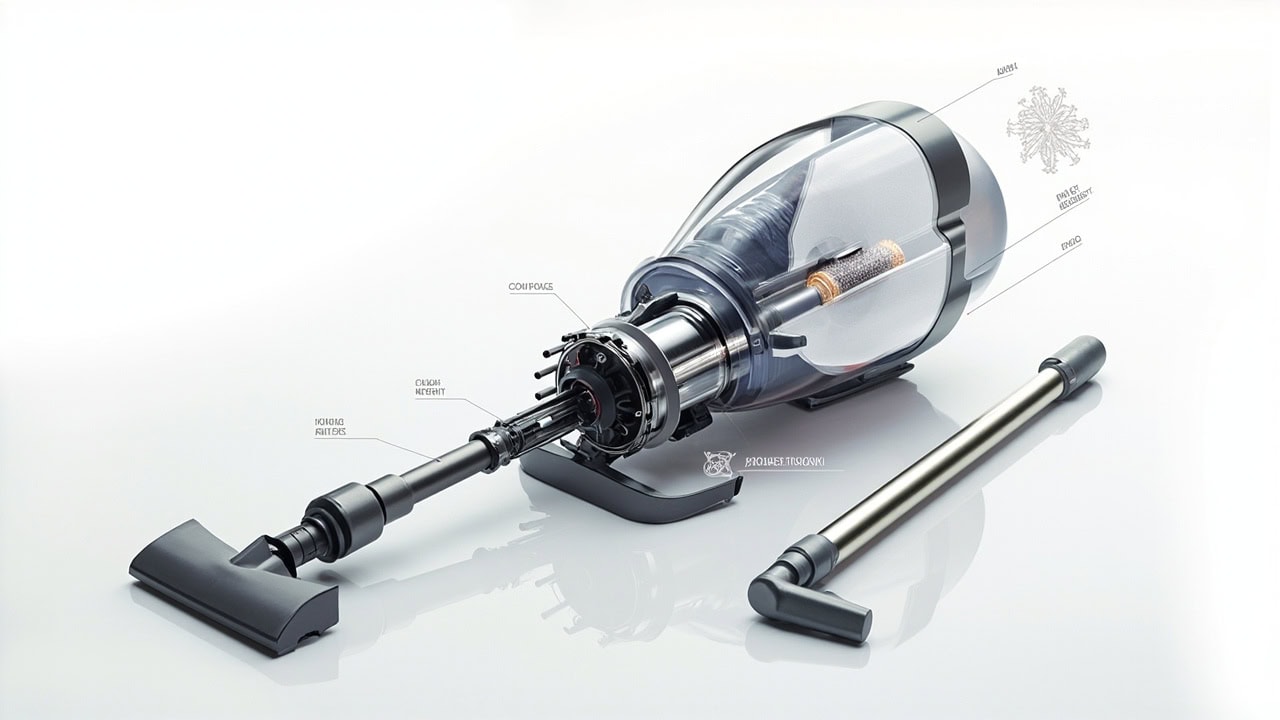
Vacuum Cleaner Troubleshooting: The Complete Problem-Solution Guide

A vacuum troubleshooting guide provides systematic solutions for common problems including loss of suction caused by clogged filters or full dustbins, unusual noises indicating worn bearings or blockages, and overheating triggered by restricted airflow — covering diagnosis through repair for all major vacuum types.
Why Vacuum Troubleshooting Matters
Vacuum cleaners experience an 89% performance decline within 12 months without proper maintenance, according to appliance durability studies. That means a vacuum operating at full suction power on day one will typically deliver only 11% of its original suction after a year of unchecked filter degradation, belt stretch, and brush wear. Most of this decline is invisible until suction loss becomes severe enough to notice — and by then, one or more components have typically failed beyond the point of simple recovery.
The financial stakes are significant. The average American household spends $247 annually on vacuum repairs or replacements that could have been prevented with basic troubleshooting and routine maintenance. Broken down, that figure covers emergency service calls, replacement belts and filters purchased reactively instead of on a schedule, and the full unit replacements that become necessary when minor issues like a slipping belt are allowed to destroy the brush roll or motor over weeks of continued use.
Beyond cost, there is an environmental imperative. An estimated 35 million vacuum cleaners enter U.S. landfills every year, with the majority failing prematurely due to preventable issues rather than true motor or chassis failure. A comprehensive vacuum troubleshooting guide eliminates the guesswork that leads to premature disposal — most vacuums rated for an 8–12 year lifespan are discarded after 3–5 years,堵住了本可以轻易修复的问题根源。The five root causes of vacuum failure (clogs, filter degradation, brush wear, belt failure, and motor problems) are all identifiable with basic hand tools and solvable with parts costing $5–$50, yet they routinely trigger full unit replacement because users lack a diagnostic framework.
The Vacuum Troubleshooting Framework
Effective vacuum troubleshooting follows a specific diagnostic priority order that rules out simple causes before investigating complex ones. Always begin with the dustbin and filter check, because a full dustbin or clogged filter reproduces almost every symptom on this list — from suction loss to overheating to odor — and requires zero tools to resolve. Move next to hose and blockage inspection, then brush and belt examination, and reserve motor assessment for last because it requires partial disassembly and represents the most expensive repair.
Time-based diagnosis adds a critical dimension to the framework. Problems that appear within the first 30 seconds of operation typically point to power delivery issues (dead battery, failed switch, blown thermal fuse) or immediate blockages at the intake. Problems that develop after 5–10 minutes of runtime suggest thermal overload from restricted airflow — a clogged filter, full dustbin, or wrapped brush roll that accumulates heat as the motor strains against it. Problems that emerge after months of normal use indicate wear-related failures: stretched belts, glazed brush roll bristles, or degraded motor bearings approaching end-of-life.
Cost-benefit thresholds determine whether you repair or replace. A well-maintained vacuum lasts an average of 10 years; a neglected unit fails after approximately 4 years. When repair costs exceed 50% of a new unit’s price, replacement is almost always the better economic choice. Cost-effective repairs include belt replacement ($5–$15), filter replacement ($10–$30), brush roll replacement ($15–40), and thermal fuse replacement ($20–50). Replace the entire vacuum if the motor has failed, the chassis is cracked, or repair costs surpass that 50% threshold.
Common Vacuum Problems Directory
Suction Loss Problems
Suction loss is the most common vacuum complaint and accounts for roughly 60% of all troubleshooting inquiries. The cause is almost always one of five issues, and identifying which one requires a systematic elimination process rather than guesswork. A full or improperly installed dustbin is the first check: even machines with bagless systems can suffer suction loss when the dustbin’s seal is compromised or the bin is overfilled past the fill line, allowing air to bypass the cyclonic separation chamber entirely.
Clogged hoses represent the second most common cause. Flexible hoses — particularly in canister vacuums — develop internal cracks and crimps that restrict airflow without completely blocking suction, making diagnosis tricky. The test is simple: remove the hose, run the vacuum with the hose detached, and compare suction at the motor inlet. Strong suction with the hose off confirms a hose clog. Clear it by straightening kinks, flushing with warm water, or using a broomstick handle to push stubborn blockages out from the inlet end.
Dirty or worn HEPA filters cause progressive suction loss that users often attribute to “the vacuum getting weaker” rather than a maintenance issue. HEPA filters lose efficiency as they accumulate debris — a filter loaded with fine dust particles can lose 40–60% of its airflow at normal operating suction levels, creating the sensation of diminishing power. EPA-rated HEPA filtration requires filters rated to remove 99.97% of particles at 0.3 microns, and these filters should be replaced every 3–6 months depending on usage frequency, not cleaned with water unless explicitly designated as washable.
Cracked suction seals — typically at the dustbin-to-body junction, the hose connection points, or around filter compartment doors — allow pressurized air to escape before it reaches the cleaning head, eliminating the pressure differential that creates suction. Inspect rubber seals and gasket edges for visible cracks, hardening, or deformation. Replacement seal kits for most major brands cost $8–20 and take 10 minutes to install with no tools.
Tangled brush rolls stop creating agitation against carpet fibers, leaving carpets looking unclean despite the vacuum running normally. Hair, string, and carpet fibers wrap around the brush roll shaft and bristles, reducing effective cleaning contact and creating a dragging sensation when you push the vacuum. A tangled brush roll also forces the motor to work harder, contributing to overheating issues. Remove tangles with scissors by cutting along the brush roll axis — never pull tangled material perpendicular to the roll, which can damage the bearing assembly.
Noise and Vibration Issues
Vacuum noises fall into distinct categories that point to specific failure modes. Learning to identify the sound type is the fastest diagnostic shortcut in the entire framework.
Grinding sounds indicate motor bearing wear in approximately 73% of cases. The bearings inside the motor shaft assembly degrade over time, losing lubrication and developing metal-on-metal contact that creates a rough, rumbling grinding noise that intensifies under load. The remaining 27% of grinding sounds come from debris wrapped around the brush roll shaft or a failing belt roller bearing. If the grinding noise persists after you remove debris from the brush roll and belt path, unplug the vacuum immediately and do not operate it — a failed motor bearing can seize suddenly, causing the motor to lock up and potentially creating a fire hazard.
Squealing or shrieking sounds point to belt slippage. The drive belt connecting the motor to the brush roll stretches and hardens over time, losing friction against the motor pulley. When the belt slips under load, it produces a high-pitched squeal that changes in pitch as you push the vacuum across different surfaces. Replacing the belt ($5–15 for universal fit belts) resolves the issue. If squealing recurs within weeks of replacement, inspect the brush roll bearings — worn bearings allow the brush roll to tilt, creating belt misalignment and rapid belt wear.
Rattling sounds typically originate from loose components inside the vacuum’s body or at connection points. Common culprits include a loose fan blade inside the motor housing, a detached weight inside the base (some uprights use counterweights that loosen over time), or screws vibrating free from the housing. Remove the bottom plate and check for loose parts; secure everything and retest before concluding the vacuum is safe to operate.
Whistling or hissing sounds indicate partial airway blockages. Air being forced through a narrowed passage — a crushed hose, a partially clogged filter, or debris stuck in the suction channel — creates turbulent airflow that produces a distinctive whistle. The blockage may be partial enough that suction still seems acceptable at the surface but the motor is working significantly harder, accelerating wear and generating excess heat.
Humming sounds that lack the normal operational tone of the vacuum indicate electrical motor issues. A humming motor that fails to reach full RPM points to problems in the motor winding, capacitor failure (in universal motor designs), or power delivery issues in the cord and switch assembly. These issues are best diagnosed with the vacuum opened up, and unless you have experience with electrical components and motor rewinding, professional service is recommended.
Overheating and Automatic Shutdown
Modern vacuums are equipped with thermal overload protection that shuts the motor off when internal temperatures exceed safe operating thresholds, typically above 105°C (221°F) at the motor windings. This safety feature prevents permanent motor damage but creates a frustrating cycle of shutting off mid-cleaning if the underlying cause isn’t addressed. The thermal overload trips when the motor draws excessive current — and that excessive draw is almost always caused by restricted airflow forcing the motor to work harder to maintain suction.
Blocked airflow is the primary cause of overheating. When the airway — from the floor nozzle through the hose, dustbin, and filter — is restricted, the motor continues spinning but with greatly increased load. The increased current flow generates heat faster than the vacuum’s cooling system can dissipate it. Sources of airflow restriction include clogged primary filters loaded with fine dust, pleated HEPA filters approaching end-of-life and saturated with captured particles, and hair or fiber accumulations in the brush roll that create a physical barrier to air entering the nozzle.
A full dustbin triggers overheating in bagless vacuums by reducing the cyclonic separation efficiency, allowing fine debris to reach and coat the HEPA filter at an accelerated rate. Even bagged vacuums overheat when the bag is packed past capacity — the paper bag material itself becomes an airflow restriction when it absorbs moisture from accumulated debris and collapses slightly under its own weight.
The thermal fuse — a one-time safety device that permanently cuts power if the motor reaches dangerously high temperatures — is distinct from the resettable thermal overload switch. If your vacuum shut off and will not turn back on at all, the thermal fuse may have permanently opened. Thermal fuse replacement ($20–50 in parts) is a valid repair; a tripped thermal fuse is actually a sign that the vacuum’s safety system worked correctly and prevented a motor fire. However, the underlying overheating cause must still be identified and resolved before installing the new fuse, or it will trip again immediately.
Vacuum Odor Problems
Vacuum odors are among the most unpleasant household smells and typically signal conditions that also reduce cleaning effectiveness. The source of the smell is usually obvious once you know where to look.
A burnt rubber or scorched plastic smell indicates belt friction from a seized brush roll, debris wrapped so tightly it creates continuous friction against the belt, or a motor pulley that has locked up and is dragging the belt against its housing. If you smell burning while the vacuum is running, stop it immediately, unplug it, and remove the bottom plate to inspect the belt path. Operating a vacuum with a seized component will destroy the belt within seconds and may damage the motor pulley or brush roll bearing permanently.
Mildew and musty odors develop when moisture enters the dustbin or hose system and combines with accumulated organic debris — skin cells, food particles, pet dander — that provide a food source for mold and bacteria growth. This commonly occurs when vacuuming wet spills or when the dustbin is emptied into a plastic bag and the vacuum is stored with the bag still attached in a humid environment. The solution is a complete system dry-out followed by a vinegar rinse: empty the dustbin, fill it with a solution of one part white vinegar to three parts water, swish it through the entire dustbin chamber and hose, then allow it to air dry completely for 24 hours before reassembling.
Pet urine odor in bagless systems is a serious hygiene issue that requires full disassembly and sanitization, not merely masking with odor neutralizers. Pet urine contains uric acid crystals that adhere to plastic surfaces and continue emitting odor even after surface cleaning. The dustbin, cyclonic chamber, and any removable seals that have been exposed must be scrubbed with an enzyme-based pet stain cleaner designed for breaking down uric acid crystals, followed by a thorough rinse and complete drying. Consider replacing the dustbin entirely if the odor persists after deep cleaning, as the plastic may be permanently saturated.
Wet debris accumulation — from vacuuming damp carpet, wet pet accidents, or tracking in mud — creates ideal conditions for mold growth inside the hose and filter chamber. HEPA filters in particular should never get wet; moisture saturating a pleated HEPA filter creates a breeding ground for mold spores and destroys the electrostatic charge that makes HEPA filtration effective. If a HEPA filter becomes wet, replace it immediately — do not attempt to dry and reuse it.
Electrical and Startup Failures
Electrical failures prevent the vacuum from turning on at all, which requires a systematic chain of checks from the simplest to the most complex. In cordless vacuums, start with battery diagnostics before opening the vacuum body.
Dead or depleted batteries in cordless stick and handheld vacuums account for the majority of “won’t turn on” complaints. Lithium-ion battery packs for vacuum cleaners lose capacity with each charge cycle, typically retaining 70–80% of original capacity after 300–500 full cycles. If your cordless vacuum runs for noticeably less time than when it was new, the battery is likely degraded. Test with a multimeter: a fully charged 18V lithium pack should read 18–21V at the terminals. Anything below 16V under load indicates a failed or severely degraded battery requiring replacement ($30–80 for third-party packs).
Broken power switches fail in the “open” position, permanently breaking the circuit. The switch is the second most common failure point after the cord in electrically failed vacuums, and it’s easily tested with a multimeter in continuity mode. Access the switch through the handle or body housing (check your model’s service manual for the location) and verify that pressing the switch completes the circuit. Replacement switches cost $3–10 and are usually held in place with a single screw or clip.
Burnt motor windings produce a distinctive sharp, acrid smell — distinct from the rubber burning smell of belt failure — accompanied by weak or non-existent suction and motor that runs hot even without restricted airflow. A multimeter check of motor winding resistance will show infinite resistance (open winding) or wildly inconsistent readings between the run and start windings. Burnt motor windings cannot be repaired; the motor must be replaced, which in many cases approaches the cost of a new vacuum. Before concluding the motor is burnt, however, check the thermal fuse — an open thermal fuse produces identical symptoms and is a $20–50 fix.
Reset button issues are frequently misdiagnosed. Many vacuum cleaners — particularly uprights and canisters from brands like Bissell, Shark, and Hoover — include a reset button on the base or body that trips when the motor overheats or draws excessive current. The button looks like a small black or red plastic tab that needs to be pressed firmly to reset. If the reset button keeps tripping after you press it, there is an underlying problem — usually a clogged airway or failing motor — and the vacuum should not be operated until that cause is identified.
Getting Started: Vacuum Troubleshooting Checklist
Before diving into specific problems, run this quick 8-step diagnostic sequence that takes approximately 10 minutes and identifies the majority of common issues without any tools or disassembly:
- Empty the dustbin completely and check for debris buildup in the cyclonic separation chamber — even bagless units need periodic deep cleaning of the inner chamber.
- Remove and inspect the primary filter — tap it gently against a hard surface outdoors to dislodge loose dust, then hold it up to a light source; if you cannot see light passing through the pleats, replace it.
- Check the brush roll for tangled hair, string, or carpet fibers wrapped around the shaft or bristles — use scissors to cut along the axis of the brush roll rather than pulling tangles perpendicular to the roll.
- Examine the belt for visible cracks, glazing (a shiny surface indicating heat damage), stretching, or separation at the splice — replace if any deterioration is visible.
- Inspect all hose connections for secure attachment and check the flexible hose for kinks, crimps, or internal cracks that restrict airflow.
- Run the vacuum for 30 seconds on a hard floor surface and feel for unusual vibrations through the handle — vibration patterns indicate specific failure types.
- Smell for burning, mildew, or musty odors during operation — each odor type points to a different failure category and should be investigated before further use.
- Test on multiple floor surfaces (hard floor, low-pile carpet, medium-pile carpet) to isolate whether the problem is surface-specific or affects all cleaning operations.
If this checklist reveals no obvious issues but your vacuum still underperforms, proceed to the symptom-specific sections above for targeted diagnosis. If the checklist identifies issues, address the most accessible root causes first (dustbin, filter, brush roll) before moving to deeper system problems (motor, electrical components).
Vacuum Type-Specific Considerations
Each vacuum type has characteristic failure modes that differ from the general troubleshooting framework. Understanding your specific vacuum type’s vulnerabilities allows for faster, more precise diagnosis.
Canister vacuums (including brands like Miele, Kenmore, and Electrolux) concentrate their failure points in the detachable power head and the flexible hose. The power head houses the brush roll and belt system — both of which require more frequent inspection in power heads that run continuously on all surfaces, as opposed to uprights where the brush roll can be disengaged on hard floors. The flexible hose in canister vacuums is a common blockage site because its narrow internal diameter (as small as 32mm in some models) is susceptible to internal clogs from compacted debris that cannot be cleared without a plumber’s snake or flushing with water. Canister hose cracks that cause suction loss are often invisible from the outside — hold the hose up to light or run water through it to check for pinhole leaks.
Upright vacuums (including Dyson, Shark, Hoover, and Bissell) put the most mechanical stress on the belt-drive brush roll system because the entire cleaning head is integrated into the base. Belt tension should be checked weekly in households with carpeting — the belt stretches approximately 5–10% within the first three months of use and continues to elongate gradually, requiring periodic adjustment or replacement. Self-propulsion mechanisms (common in Hoover WindTunnel and Bissell ProHeat models) add a secondary drive belt that is a known failure point; a squealing noise when you push the vacuum forward but not when pulling it back indicates the self-propulsion belt has failed.
Stick vacuums (cordless uprights like Dyson V-series, Shark Rocket, and Tineco) are constrained by battery and charging system limitations. Battery health should be assessed with a voltage test before assuming motor failure — a fully depleted battery that won’t hold charge is far more common than motor failure in stick vacuums under five years old. Charging contact corrosion is a frequent culprit for intermittent operation: inspect the metal charging contacts on both the vacuum body and the charging dock, and clean them with a cotton swab dipped in isopropyl alcohol if oxidation is visible. Running the battery completely flat before recharging accelerates lithium-ion degradation; try to recharge before it drops below 20% capacity.
Robot vacuums (Roomba, Shark IQ, Ecovacs, Roborock) fail most often at the navigation and drive systems rather than the suction motor. Cliff sensors on the underside detect drops (stairs) using infrared; when these sensors become coated with dust, the robot thinks it is perpetually at the edge of a drop and refuses to move or reverses erratically. Clean the cliff sensors monthly with a dry cotton swab. Hair wrap accumulation in the drive wheel assemblies is the second most common robot vacuum complaint — most models allow you to pull the drive wheels free and remove tangled hair from the wheel axle without tools.
Handheld vacuums (including Black+Decker, Bissell Pet Hair Eraser, and Dirt Devil) are prone to battery compartment moisture intrusion and trigger mechanism failure. The battery compartment should be kept dry — even small amounts of liquid from cleaning wet spills can corrode the battery contacts and create intermittent operation. The trigger mechanism in corded handheld vacuums accumulates debris in the switch housing, causing the vacuum to run weakly or not at all. Disassemble the trigger housing (usually two screws) and spray the switch mechanism with contact cleaner to restore reliable operation.
Preventative Maintenance Schedule
Consistent maintenance extends vacuum lifespan from an average of 4 years (neglected units) to 10+ years (well-maintained units) — more than doubling the return on your investment. The schedule below is organized by frequency, with each interval building on the previous one:
- After each use: Empty the dustbin completely — even bagged vacuums should have the bag checked and replaced when half-full to prevent moisture buildup. Inspect the brush roll for tangles and remove debris immediately. Wipe down the exterior housing with a damp cloth, including the suction seal edges where debris accumulates and degrades the seal over time. Check for visible damage to the hose, cord, or housing.
- Weekly: Clean or replace the primary filter (foam pre-filter or primary dust filter depending on your model). Tap HEPA filters gently to dislodge surface dust, but do not saturate with water unless the filter is explicitly rated as washable — washing a non-washable HEPA filter destroys the electrostatic charge required for 99.97% efficiency at 0.3 microns. Wipe down all exterior surfaces, including the charging contacts on cordless models. Check belt tension by pressing the brush roll down — it should compress no more than 1/4 inch under finger pressure before the belt engages; excessive compression indicates a stretched belt requiring replacement.
- Monthly: Deep clean the brush roll bearings — remove the brush roll from its housing, pull any debris out of the bearing cavity, and apply a single drop of machine oil (not WD-40, which evaporates too quickly) to each bearing. Flush the flexible hose with warm water and allow it to dry completely (24 hours) before reattaching. Inspect suction seals and gasket edges for cracking, hardening, or deformation; replace any compromised seals immediately. Check that all screws are tight — vacuums vibrate during normal use and screws loosen over time.
- Quarterly: Replace the HEPA filter even if it appears functional — the filter’s efficiency degrades before its structure visibly deteriorates. Lubricate wheel bearings (front caster wheels and rear axle bearings) with machine oil to prevent them from seizing and creating rattles. Inspect the power cord for visible damage such as cracking, kinking at the plug or strain relief points, or worn insulation; replace immediately if damage is found. Check the motor cooling vents (usually on the rear housing) for accumulated dust and clean with a dry brush — blocked cooling vents contribute directly to overheating by preventing heat dissipation from the motor housing.
- Annually: Schedule or perform a professional service inspection that includes motor bearing assessment (listen for roughness when the motor spins freely by hand after disconnecting the belt), electrical system testing (capacitor check in universal motors, winding resistance verification), and full reassembly with new seals, belts, and filters. This annual service is especially important for vacuums used daily or in households with pets, where mechanical wear accelerates significantly.
Frequently Asked Questions
Q: Why has my vacuum cleaner lost suction power?
A: Suction loss in vacuum cleaners is caused by one of five issues: a full dustbin reaching capacity, a clogged primary or HEPA filter restricting airflow, a blockage in the suction hose, a worn belt causing brush roll failure, or cracked seals allowing air leakage. Diagnose by checking the dustbin first, then the filter, then the hose for obstructions.
Q: Why is my vacuum making a loud grinding noise?
A: A grinding noise indicates motor bearing wear in 73% of cases, with the remaining instances caused by debris wrapped around the brush roll shaft or a failing belt roller bearing. Unplug the vacuum immediately and inspect the brush roll — if it rotates freely without debris, the motor bearings have failed and require professional replacement.
Q: How do I stop my vacuum from overheating?
A: Vacuum overheating occurs when airflow is restricted through a clogged filter, full dustbin, or blocked hose — the motor draws more current to compensate, generating excess heat. Prevent overheating by cleaning or replacing filters every 3–6 months, emptying the dustbin after each use, and checking the hose for hidden blockages before each cleaning session.
Q: When should I repair versus replace my vacuum cleaner?
A: Replace your vacuum if the motor has failed (typically 8–12 year lifespan), the chassis is cracked, or repair costs exceed 50% of replacement cost. Repair is cost-effective for: belt replacement ($5–15), filter replacement ($10–30), brush roll replacement ($15–40), and thermal fuse replacement ($20–50). A well-maintained vacuum lasts an average of 10 years compared to 4 years for neglected units.
Related Articles
For air purifier troubleshooting with similar motor and filter diagnostics, see our Air Purifier Troubleshooting Hub.
For shared appliance troubleshooting methodology, see the Kitchen Cleaning Hub.
For battery-powered vacuum specific issues, see Dyson Vacuum Not Holding Charge Troubleshooting.
For automated vacuum diagnostics, see Why Is My Robot Vacuum Making Noise?
For detailed filter maintenance procedures, see How to Clean Vacuum Filters Correctly.
Technical terms used in this article are defined in the Cleaning Glossary, including HEPA filter, suction airflow, motor bearing, belt tension, thermal overload, dustbin capacity, brush roll, and cyclonic separation.
References
- U.S. Department of Energy. (n.d.). What is a HEPA Filter? Environmental Protection Agency. epa.gov


