
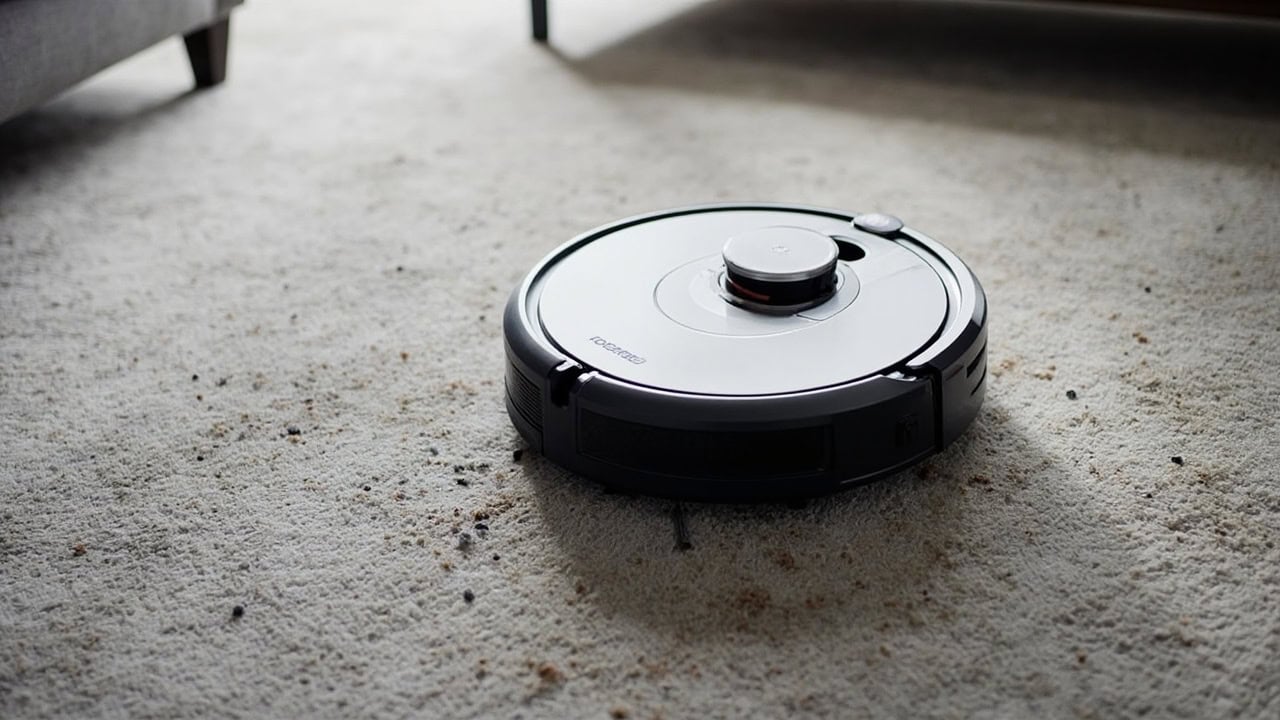
Roomba 900 Series Problems: Complete Troubleshooting Guide

Roomba 900 series problems stem from sensor failures, debris buildup in the extraction system, degraded lithium-ion batteries, and firmware glitches that impair navigation and cleaning performance. Error codes 1, 2, 3, and 5 are the most common, each indicating a specific hardware or navigation issue that can be resolved without professional repair. The most frequent root cause of persistent cleaning failures is hair and debris wound around the brush rollers and axle, reducing extraction efficiency by up to 40%. Regular maintenance of the filter, brushes, and sensors resolves approximately 85% of reported Roomba 900 series problems.
Common Roomba 900 Series Problems Overview
The Roomba 900 series — comprising the 960, 980, and 985 models — relies on iAdapt 2.0 navigation with visual localization, a 3300 mAh lithium-ion battery, and dual counter-rotating rubber extractors to clean autonomously. Despite its advanced mapping capabilities, the 900 series is susceptible to a predictable set of hardware and software failures that degrade cleaning performance over time. Problems generally fall into four categories: navigation and mapping errors, brush and extraction system failures, power and battery issues, and connectivity problems.
Navigation errors are the most frequently reported category, often triggered by obstructed cliff sensors or a dirty visual localization camera housed in the front dome. Brush and extraction failures rank second, caused primarily by hair and thread entanglement around the dual rubber extractors and their hexagonal axles. Battery degradation becomes noticeable after 400–600 full charge cycles, reducing run time below 60 minutes and causing premature docking. Connectivity issues, while less common, can prevent the iRobot HOME app from receiving status updates or initiating cleaning cycles remotely.
Among the three models, the Roomba 980 generates the highest volume of support queries because its Power Boost feature automatically increases suction on carpet — this draws more current from the battery, accelerates filter clogging, and places greater mechanical stress on the extractors. The Roomba 960 uses a smaller-capacity battery (2600 mAh in some production runs) and is more prone to premature docking on larger floor plans. The Roomba 985 shares the 980’s hardware but was sold primarily through Costco and Sam’s Club with a bundled extra filter kit; its failure profile is identical to the 980. Regardless of model, the troubleshooting steps in this guide apply universally across the entire 900 series platform.
Error Code Reference Table
The Roomba 900 series communicates specific faults through numbered error codes displayed on the LED indicator ring and reported through the iRobot HOME app. Each error code maps to a distinct subsystem, making accurate identification the fastest path to resolution. The table below covers the six most common error codes encountered across the 960, 980, and 985 models.
| Error Code | Meaning | Severity | Root Cause |
|---|---|---|---|
| Error 1 | Left or right wheel is stuck | Medium | Hair/debris wound in wheel cavity |
| Error 2 | Front bumper is stuck | Low | Debris under bumper, obstruction detected |
| Error 3 | Left/right brush jam | High | Tangled hair or threads in brush rollers |
| Error 5 | Cliff sensor blocked | Medium | Sensor dirty or over dark floor surface |
| Error 6 | Dirt bin missing | Low | Bin not seated properly or sensor dirty |
| Error 9 | Extraction system obstruction | Medium | Foreign object caught in extraction system |
Error 3 is the highest-severity routine error because a jammed brush motor draws excess current, which can permanently damage the motor windings if left unaddressed. Error 5 is the most commonly misdiagnosed code — users frequently assume a hardware failure when the actual cause is dust accumulation on the infrared sensor lenses or operation over dark surfaces that absorb the sensor’s IR signal. For a broader cross-reference of iRobot error codes across all Roomba generations, see the Roomba Troubleshooting Hub.
Diagnosis Checklist
Before beginning any repair, systematically isolate the fault. A structured diagnosis prevents unnecessary disassembly and reduces the risk of damaging components during troubleshooting. Follow this seven-point checklist, which covers the most common failure points in the Roomba 900 series.
- Note which error code displays (if any) on the vacuum’s LED indicator ring and cross-reference it with the table above.
- Inspect the front bumper and cliff sensors for debris, tape residue, or adhesive buildup that could block mechanical movement.
- Remove and re-seat the dirt bin to verify proper contact with the bin-presence sensor.
- Check both brush rollers for wound hair or tangled threads — this is the single most common cause of Error 3.
- Examine the side brush for bent, broken, or missing blades that could cause uneven cleaning patterns.
- Test navigation on a different floor surface to rule out reflectance issues caused by dark or glossy materials.
- Verify the iRobot HOME app reports the same error for remote diagnostics — a mismatch between the app and the LED indicator suggests a firmware issue.
Completing all seven steps before opening the vacuum’s chassis ensures you target the correct component on the first attempt. If the checklist identifies multiple simultaneous faults — for example, both Error 3 and Error 5 — address the brush jam first, as a stalled extraction motor places additional strain on the battery and can trigger secondary errors. For general robot vacuum diagnosis methodology, refer to the Vacuum Troubleshooting Hub.
Fixing Navigation and Mapping Problems
Error codes 1, 2, and 5 relate to navigation impairment caused by sensor obstruction, physical blockage, or surface reflectance issues. The iAdapt 2.0 system uses a front-facing visual localization camera and four downward-facing infrared cliff sensors to build and follow a room map. When any component in this sensor array is compromised, the Roomba may bounce randomly, fail to return to its dock, or repeatedly clean the same area.
- Clear the front bumper — Press the bumper release tabs on each side, lift the bumper away from the body, and remove any debris lodged underneath. Wipe the inner bumper contacts with a dry microfiber cloth. Hair and dust compress against the contact switches, preventing the bumper from registering impacts and causing the vacuum to drive into obstacles without slowing.
- Clean the cliff sensors — Locate the four cliff sensors on the bottom front edge of the vacuum, positioned in a line behind the front caster wheel. Use a dry cotton swab to wipe each sensor lens individually. These infrared sensors emit a beam perpendicular to the floor; when dust coats the lens, the reflected signal weakens and the sensor falsely interprets the surface as a cliff (drop-off), causing the vacuum to avoid large sections of the room.
- Reset the navigation system — With the vacuum powered on, press and hold the CLEAN button for 10 seconds until the LED ring flashes rapidly. This forces the iAdapt system to discard its current map and rebuild its spatial awareness from scratch. A corrupted map — caused by moving furniture, carrying the vacuum between rooms mid-cycle, or a brief power interruption — is a common source of aimless wandering behavior.
- Recalibrate on a light surface — Place the Roomba on a hard floor with light coloration (such as blonde hardwood or light tile) and run a short 15-minute cleaning cycle. The visual localization camera relies on contrast between floor features to establish landmarks; dark carpets and glossy tiles provide insufficient contrast for reliable mapping.
Surface reflectance is an underappreciated factor in Roomba 900 series navigation failures. The cliff sensors use infrared light at 850 nm wavelength, which absorbs into dark surfaces — particularly black carpet and very dark hardwood — causing the sensor to interpret the floor as a void. If your home has large areas of dark flooring, consider placing boundary markers or physical barriers to prevent the vacuum from entering zones where cliff sensor false positives are unavoidable. For related guidance on how cleaning product residue can affect sensor performance, see the Cleaning Chemistry Hub.
Fixing Brush and Extraction System Failures
Error code 3 indicates the brush rollers are resistance-loaded beyond normal thresholds. The dual counter-rotating extraction system in the Roomba 900 series uses two rubber extractors that spin in opposite directions to pull debris into the suction path. When hair wraps around the extractors or their hexagonal axles, the increased mechanical resistance triggers the motor’s overcurrent protection and halts the brush motor entirely.
- Remove the brush guards — Flip the Roomba over and locate the two yellow release tabs on the brush module cover. Press both tabs outward simultaneously and lift the guard frame away from the body. The guard is spring-loaded, so it may require firm pressure on older units where the plastic tabs have stiffened.
- Extract tangled hair — Pull the dual rubber extractors straight out of their housing. Using scissors, cut away wound hair along the length of each rubber fin — always cut in the direction the fins run to avoid nicking the silicone material. Do not use a knife or razor blade; the rubber compound is soft enough to score easily, and damaged fins lose their ability to agitate carpet fibers effectively.
- Clean the brush axle — Remove both end caps from each extractor to expose the hexagonal axle. Hair accumulates in the gap between the axle and the bearing housing, creating friction that slows the roller even when the extractor surface appears clean. Pull all debris from the axle groove with tweezers, then re-lubricate with a dry PTFE (teflon-based) lubricant if the axle squeaks during rotation. Avoid oil-based lubricants, which attract dust and accelerate future clogging.
- Reassemble and test — Press each extractor firmly into its hex socket until it clicks. Both rollers should spin freely by hand with the guard removed. Replace the guard frame and snap both yellow tabs closed. Run a 5-minute test cycle on a carpeted surface and listen for grinding, squeaking, or rhythmic thumping — any of these sounds indicate residual debris or a misaligned extractor that needs further attention.
Preventive maintenance frequency directly correlates with household pet population and carpet density. Homes with one or more shedding pets should clean the extractors every 2–3 cleaning cycles; homes with low-shed breeds and primarily hard floors can extend this to every 5–7 cycles. A clogged extraction system reduces suction effectiveness by up to 40% and places additional load on the battery, shortening both per-cycle run time and overall battery lifespan. For additional guidance on brush roller maintenance, refer to the Roomba Troubleshooting Hub.
Fixing Battery and Power Problems
The Roomba 900 series uses a 3300 mAh lithium-ion battery rated for approximately 400–600 full charge cycles before capacity drops below usable thresholds. When the battery degrades, the most noticeable symptom is reduced run time — a healthy 900 series runs 75–120 minutes depending on floor type, while a degraded battery may power the vacuum for only 30–45 minutes before forcing an automatic dock. Premature docking where the Roomba returns to base well before the room is cleaned is the clearest indicator of battery capacity loss.
- Perform a reset charge cycle — Run the Roomba through a complete cleaning cycle until it automatically docks. Once docked, leave it on the charging base for at least 72 hours without interruption. This extended charge allows the battery management system to perform full cell balancing across all internal cells, which can recover 5–15% of lost capacity in batteries that have been chronically undercharged.
- Replace the battery — If run time remains under 45 minutes after a full 72-hour reset charge, the battery capacity has dropped below 60% of its rated 3300 mAh and requires replacement. Use only iRobot-certified 3300 mAh replacement packs. The battery compartment is accessed by removing the single Phillips-head screw on the bottom panel and lifting the cover. Disconnect the battery connector, insert the new pack, and reassemble.
- Clean the charging contacts — Wipe the gold charging contacts on both the vacuum’s underside and the docking base with a cotton pad dampened with 70% isopropyl alcohol. Oxidation on these contacts creates electrical resistance that slows charging and can cause the battery management system to report a false full charge, leading to shorter run times even with a healthy battery.
Battery health in the Roomba 900 series is also affected by operating temperature. Lithium-ion cells degrade faster when consistently charged or discharged at temperatures above 35°C (95°F). Position the docking base in a shaded, temperature-stable location away from direct sunlight and heating vents. Storing the vacuum off the dock for extended periods (more than two weeks) causes the cells to self-discharge below the safe minimum voltage — if you plan to store the unit, charge it to 50% first and check the charge level every 30 days.
Firmware issues can also mimic battery failure. The Roomba 900 series receives over-the-air firmware updates through the iRobot HOME app, and occasionally a flawed update causes the battery management system to misreport remaining capacity. If run time drops suddenly after a firmware update, perform a factory reset by holding the HOME and SPOT buttons simultaneously for 10 seconds, then allow the vacuum to reconnect to Wi-Fi and download the latest stable firmware. This resolves phantom battery drain caused by background processes stuck in a loop after a partial update installation. For broader guidance on robot vacuum power management, refer to the Vacuum Troubleshooting Hub.
When to Replace Parts vs. Replace the Vacuum
Not every failure warrants replacing the entire vacuum. Many Roomba 900 series problems are resolved with targeted component replacements that cost a fraction of a new unit. The decision hinges on which specific component has failed and whether the repair cost exceeds 50% of a replacement unit’s current market price.
Replace Individual Components When:
- Brush rollers show visible wear grooves or the rubber fins have flattened after 6+ months of regular use — replacement extractors restore agitation performance for under $30.
- The side brush motor spins slowly or inconsistently after cleaning — a replacement side brush module costs $10–15 and installs with a single Phillips screw.
- Battery capacity tests below 60% of the rated 3300 mAh (run time under 45 minutes after a full reset charge) — an iRobot-certified replacement battery costs $50–80.
- Cliff sensors or the front bumper require cleaning but show no physical damage — these are maintenance items, not replacement candidates.
Replace the Entire Unit When:
- The iAdapt navigation camera is physically damaged — a visible crack in the front dome housing the visual localization sensor renders the mapping system inoperable, and the camera module is not sold as a user-replaceable part.
- The main printed circuit board shows corrosion from liquid exposure — liquid damage spreads under conformal coating over time and causes intermittent failures that are impossible to predict or prevent.
- Combined repair costs (battery + extractors + sensors) exceed 50% of the price of a new robot vacuum — at that threshold, investing in a newer model with updated navigation hardware provides better long-term value.
The Roomba 900 series was discontinued in 2019, and while replacement parts remain available through iRobot and third-party sellers, the iAdapt 2.0 navigation platform has been superseded by newer systems with superior object avoidance and room-mapping accuracy. If your unit requires multiple simultaneous repairs, upgrading to a current-generation model may deliver better cleaning performance alongside updated features like smart-mapping and zone-based cleaning. For guidance on diagnosing issues across all Roomba generations, visit the Roomba Troubleshooting Hub.
Frequently Asked Questions
Q: Why does my Roomba 900 series keep showing Error 5 (cliff sensor)?
A: Error 5 means the cliff sensor array is not detecting the floor surface, which occurs when dust accumulates on the infrared sensor lenses, or when the vacuum is operated over very dark hardwood, black carpet, or reflective surfaces that confuse the sensor. Clean each of the four cliff sensors with a dry cotton swab and test on a light-colored hard floor surface.
Q: How often should I replace the filters in a Roomba 900 series?
A: Replace the high-efficiency filter every 2–3 months under normal use, or monthly if the vacuum runs daily. A clogged filter restricts airflow, reducing suction by up to 30% and triggering error codes related to extraction system resistance.
Q: Can I use third-party batteries in my Roomba 900 series?
A: Third-party lithium-ion batteries are not recommended because they often use lower-quality cells with inconsistent voltage regulation that can trigger error codes and damage the charging circuit. Use only iRobot-certified 3300 mAh replacement batteries for proper compatibility and safety.
Q: Why does my Roomba 900 series stop mid-cycle and return to the dock early?
A: Early docking is typically caused by a degraded battery that cannot hold a full charge, a dirty charging contact preventing proper electrical connection, or the vacuum completing what it perceives as a full cycle based on incorrect room mapping from a dirty visual localization sensor. Clean the charging contacts, perform a battery reset cycle, and wipe the front-facing camera dome to resolve this.
References
- iRobot Corporation. (2023). Roomba 900 Series Owner’s Guide and Troubleshooting. iRobot Support.
- U.S. Consumer Product Safety Commission. (2024). Home Electrical Safety Guidelines for Consumer Electronics. CPSC.
- IEEE Standards Association. (2022). IEEE 1625: Standard for Rechargeable Lithium-Ion Battery Systems. IEEE.


