
Why Does My Roomba Randomly Start

Your Roomba randomly starts because its Dirt Detect sensors activate when they sense concentrated dirt, because a scheduled cleaning time triggers, or because debris caught in the wheel wells causes false movement signals. This behavior frustrates many Roomba owners, but each cause has a specific solution you can diagnose and fix in under 10 minutes.
We’ll walk through why your Roomba starts cleaning by itself, how to stop it, and what to do when it won’t stop.
Why Does My Roomba Randomly Start Cleaning?
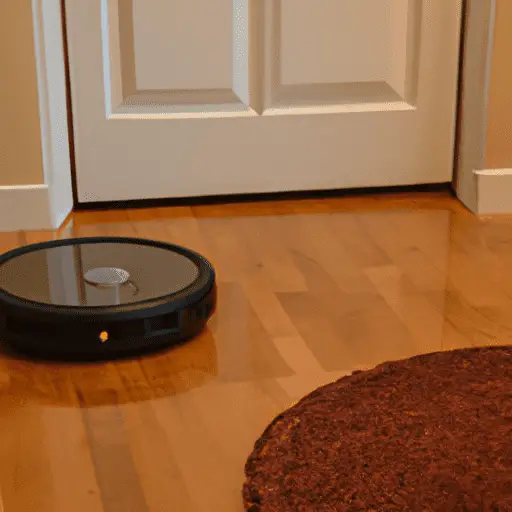
Roomba’s random starts fall into three categories: scheduled triggers, sensor activations, and mechanical false signals. Understanding which one affects your robot helps you fix it faster.
Scheduled Cleaning Times
iRobot Roombas retain cleaning schedules even after reboots. If your Roomba starts at the same time each day, a scheduled cleaning time is triggering it. Open the iRobot app and check the Cleaning History to confirm—scheduled runs appear as distinct entries with start times.
Dirt Detect Sensor Activation
Roomba’s Dirt Detect technology uses optical and acoustic sensors to identify concentrated dirt zones. When these sensors trigger, the robot pauses its systematic cleaning pattern and focuses on the dirty area—often appearing to start randomly. This is normal behavior, not a malfunction.
Debris in Wheel Wells
Hair, thread, and small debris collect in the caster wheel and side wheel wells. When debris accumulates around wheel encoders, Roomba’s navigation system receives false movement signals, causing erratic behavior including random starts, circular movements, and back-and-forth motions.
Roombas use cliff sensors to detect stairs and drop-offs. These infrared sensors can also trigger when Roomba crosses dark-colored floor transitions or thick rugs, causing the robot to reverse suddenly and appear to start cleaning unexpectedly.
How to Fix a Roomba That Keeps Starting Randomly: Step-by-Step
Work through these fixes in order. Most random-start issues resolve at step one or two.
- Step 1: Cancel scheduled cleaning times — Open the iRobot Home app, go to Schedule, and disable any active cleaning schedules. Tap each scheduled time and select “Delete.”
- Step 2: Clear wheel well debris — Flip the Roomba upside down. Remove the caster wheel by pressing the caster wheel release tab. Pull out hair and debris wrapped around the wheel axle. Do the same for both side wheels.
- Step 3: Clean the cliff sensors — Locate the four cliff sensors on the bottom front. Wipe them with a clean, dry cloth. Use a can of compressed air to blow out any dust trapped in sensor gaps.
- Step 4: Reset the Roomba — Hold down the CLEAN button for 10 seconds until the light ring turns off. This clears temporary software glitches but does not erase your cleaning schedule or map data.
- Step 5: Contact iRobot support — If random starts persist after trying all steps, a hardware issue—failed sensor, motherboard fault—requires professional service. Contact iRobot at 1-800-727-2297.
Quick-Reference: Common Roomba Random Start Causes
| Cause | Symptom | Fix |
|---|---|---|
| Scheduled cleaning enabled | Starts at same time daily | Delete schedule in iRobot app |
| Debris in caster wheel | Erratic circular movement | Remove wheel, clear debris |
| Hair wrapped on axle | One spot spinning behavior | Cut hair with scissors, do not pull |
| Cliff sensor triggered | Sudden reversal on dark floors | Clean sensors, move to light area |
| Dirt Detect activated | Focuses on one dirty area | Normal behavior—let it run |
How Does a Roomba Know When Cleaning Is Complete?
According to iRobot, the Roomba uses a proprietary iAdapt Navigation algorithm that combines data from multiple sensors: wheel encoders track distance traveled, cliff sensors map boundaries, and the Dirt Detect system identifies high-traffic zones.
The algorithm processes three signals simultaneously: elapsed cleaning time, cumulative area covered (calculated from wheel rotation data), and dirt concentration readings. Roomba continues running until all three signals indicate completion or the battery reaches 15%—whichever comes first. At 15% battery, Roomba automatically returns to its charging dock, regardless of whether the space is fully cleaned.
This adaptive approach means Roomba cleans larger rooms longer than smaller ones. In iRobot’s testing, a 500-square-foot room typically takes 45–65 minutes for a complete clean cycle, though high-dirt environments extend this to 90 minutes or more.
How to Reset a Roomba: Full Factory Reset Guide
- Soft reset (recommended first): Hold CLEAN button for 10 seconds until the light ring pulses and turns off. Release. The robot restarts with all data preserved.
- Factory reset: With the robot on the dock, hold SPOT and DOCK buttons simultaneously for 10 seconds. All lights will flash, indicating the reset is complete.
If your Roomba behaves erratically—not following its usual path, missing areas, or starting randomly—a soft reset clears most temporary software glitches within 60 seconds.
Internal Links
If your Roomba issues stem from navigation problems, see our Roomba Troubleshooting Hub for guides covering mapping failures, charging issues, and connection problems. For general robot vacuum maintenance, the Vacuum Troubleshooting Master Hub covers all brands including Dyson and Shark.
To understand cleaning terminology used in this guide, visit the Cleaning Glossary for definitions of terms like “Dirt Detect,” “iAdapt Navigation,” and “cliff sensors.”
Conclusion
Your Roomba randomly starts for three main reasons: a scheduled cleaning time you forgot was set, debris caught in its wheels triggering false movement signals, or Dirt Detect sensors identifying concentrated dirt zones. Fix each cause by checking the iRobot app for active schedules, clearing wheel well debris, and wiping the cliff sensors. A 10-second CLEAN button hold resets most random-start glitches. If the behavior continues after these steps, contact iRobot support for hardware diagnostics.
Let us know in the comments: has your Roomba ever started by itself? What fixed it for you?
References
- iRobot. (2024). Roomba i Series User Guide. iRobot Corporation.
- iRobot. (2024). iAdapt Navigation Technology Explained. iRobot Corporation.


