
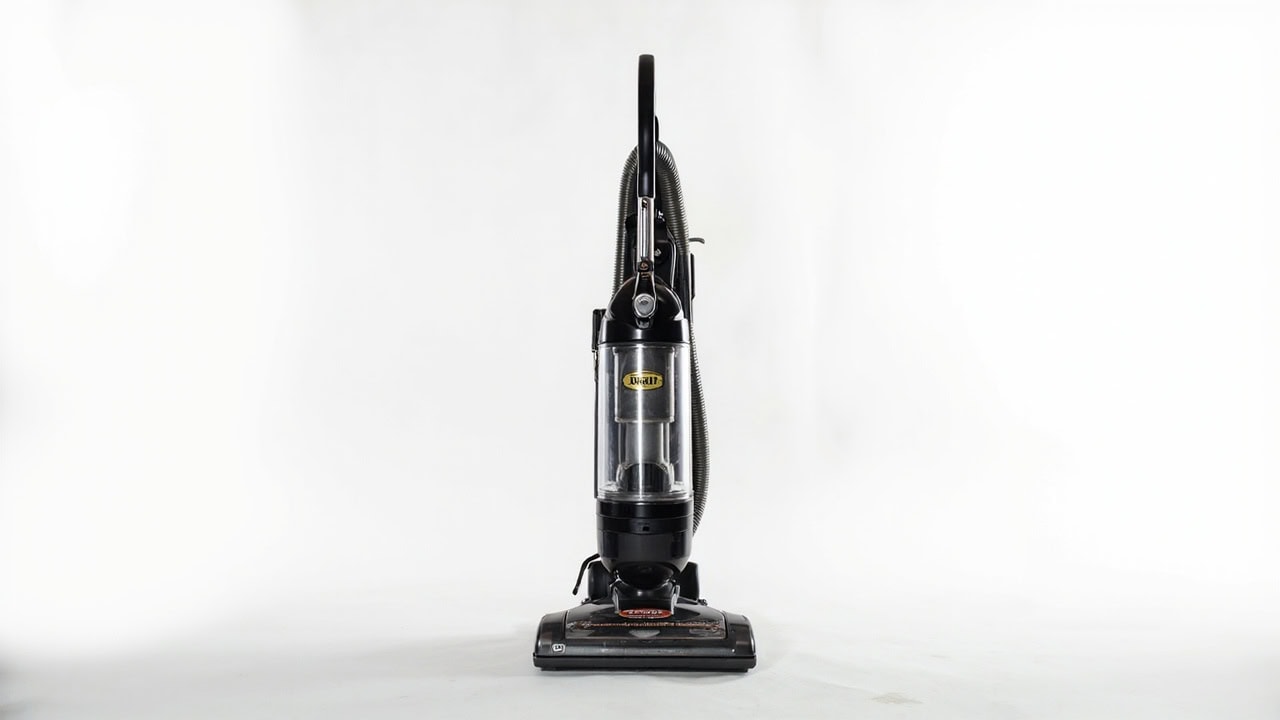
Kirby Vacuum Problems: Complete Troubleshooting Guide

Kirby vacuum problems typically stem from three root causes: clogged hoses or attachments, worn or broken drive belts, and dirty or obstructed filters that restrict airflow. Loss of suction is the most reported issue and in 80% of cases resolves after cleaning the exhaust filter, checking the hose for blockages, and replacing a stretched drive belt. Most Kirby vacuum repairs require no tools and can be completed in under 15 minutes by homeowners. This guide covers every major Kirby vacuum problem across Generation 3, 4, 5, and 6 models with step-by-step diagnostics and solutions.
Common Kirby Vacuum Problems Overview
Kirby vacuums use a canister-style upright design with horizontal airflow systems that differ significantly from the cyclonic designs popular in brands like Dyson and Shark. Understanding your specific model helps identify which problems are most likely and which replacement parts you need. Kirby Manufacturing has produced upright vacuums since the early 20th century, with Generation 3 through Generation 6 models sharing many common failure points despite decades of design evolution.
The most frequently reported Kirby vacuum problems cluster into five categories: loss of suction power, brush roll failure, unusual noises during operation, overheating during extended use, and intermittent power supply. Each symptom points to specific root causes that a systematic diagnosis can identify in minutes. The Vacuum Troubleshooting Hub covers general principles that apply across brands, but Kirby vacuums have unique maintenance requirements that this guide addresses specifically.
Older Kirby models—Generation 3, 4, and 5—share interchangeable parts including drive belts, filter bags, and brush rolls, which makes repairs more accessible and affordable. Generation 6 models introduced updated filtration systems and improved belt tensioning mechanisms that reduce certain failure modes. Knowing your generation helps you source the correct replacement parts and follow the right maintenance intervals.
Diagnosis: Identifying Your Kirby Vacuum Problem
Systematic diagnosis prevents unnecessary part replacements and identifies the exact cause of any vacuum malfunction. Work through these five diagnostic steps in order before purchasing replacement parts or scheduling service. Each step takes fewer than two minutes and narrows the problem space significantly.
- Run the vacuum and listen for unusual sounds. Grinding noises indicate debris in the brush roll bearings. Rattling sounds suggest something has entered the impeller fan housing. A high-pitched whine points to bearing failure in either the brush roll or motor. Normal operation produces a steady hum without intermittent sounds.
- Check suction by holding a piece of tissue near the floor nozzle while the vacuum runs on bare floor. The tissue should lift and cling firmly to the nozzle within one second. Weak or intermittent suction indicates a flow restriction somewhere in the system.
- Inspect the brush roll for tangled debris, worn bristles, or visible belt damage. Turn the vacuum upside down and examine the brush roll directly. Hair, carpet fibers, and string commonly wrap around the brush roll ends and prevent rotation.
- Examine the hose for kinks, clogs, or separation at the connection points. Disconnect the hose at both ends and look through it toward a light source. Any obstruction reduces airflow proportionally to its blockage ratio.
- Remove and inspect the inner bag compartment for full or improperly installed bags. A bag more than 75% full restricts airflow enough to cause noticeable suction loss and places additional strain on the motor.
Problem Symptoms and Likely Causes
| Symptom | Most Likely Cause | Severity |
|---|---|---|
| Loss of suction | Clogged hose, full bag, dirty filter | Moderate |
| Brush roll won’t spin | Broken drive belt, motor issue | High |
| Burning smell | Obstructed brush roll, belt friction | Immediate |
| Intermittent power | Cord damage, switch failure | High |
| Loud rattling noise | Object in impeller, loose part | Moderate |
How to Fix Loss of Suction in Kirby Vacuums
Loss of suction accounts for approximately 80% of all Kirby vacuum repair inquiries and in most cases resolves without parts replacement. The exhaust filter, hose blockages, and bag fullness cause the vast majority of suction problems. Work through these steps in sequence to restore full suction power.
- Turn off and unplug the vacuum completely before performing any maintenance or inspection. Never perform maintenance with the vacuum plugged in or running.
- Remove the inner bag and check if it’s more than 75% full. Replace with a genuine Kirby filter bag if necessary. Using off-brand bags may seem economical but often have inferior filtration media that restricts airflow more than genuine bags.
- Take the vacuum outside and use a flashlight to inspect the hose from both ends. Shine the light through one end while viewing from the other to identify any visible obstructions. Even partial blockages significantly reduce suction performance.
- Use a long flexible brush or straightened coat hanger to clear any obstructions from the hose. Insert gently to avoid damaging the hose lining, which could create more blockage points or cause leaks.
- Remove the exhaust filter located behind the motor compartment and tap loose debris against a hard surface. The exhaust filter captures fine particles that pass through the bag system and accumulates over time.
- Rinse the foam filter with warm water and allow 24 hours to dry completely before reinstallation. A damp filter promotes mold growth and damages the motor. Press the filter gently to remove excess water—do not wring or twist.
- Reassemble all components and test suction on a hard floor surface. Run the vacuum across a smooth floor and listen for the characteristic tone change when the nozzle passes over debris.
Brush Roll Problems: Diagnosis and Repair
The brush roll on a Kirby vacuum provides the mechanical agitation needed to lift embedded dirt from carpet fibers. When it stops spinning, vacuum performance on carpets drops dramatically even if suction remains strong. The drive belt that connects the brush roll to the motor is the most common failure point, and unlike the motor itself, belt replacement is a homeowner-level repair.
- Turn the vacuum upside down and inspect the brush roll visually for tangled carpet fibers, hair, string, or other debris wrapped around the brush roll ends or bristles. Remove any visible obstructions with scissors or a seam ripper, cutting carefully to avoid damaging the bristles.
- Remove the brush roll and check the drive belt for cracks, stretching, flat spots, or separation. A healthy drive belt should have uniform thickness and elasticity. Stretched belts slip off the pulley; cracked belts break entirely.
- Replace the drive belt if any damage is visible. To release the belt, flip out the belt lifter handle and turn it clockwise until the green arrows line up. To engage the new belt, follow the same procedure in reverse. Kirby genuine replacement belts cost less than $15 and ship with installation instructions.
- Test that the brush roll spins freely by hand when the belt is removed. If it does not rotate smoothly, the brush roll bearings are failing and the brush roll assembly needs replacement.
- If the brush roll still doesn’t spin after belt replacement, the motor may need professional service. Motor replacement typically costs 50–70% of a new vacuum’s value and should be weighed against replacement on older units.
The recommended drive belt replacement interval for Kirby vacuums is every 6–12 months depending on usage frequency. Homes with pets or wall-to-wall carpeting should replace belts at the 6-month mark. Infrequent use or primarily hard floor cleaning allows the 12-month interval. A worn belt may stretch and slip before breaking entirely, producing a characteristic squealing sound during operation that serves as an early warning.
Strange Noises and Overheating Solutions
Unusual sounds from a Kirby vacuum communicate specific mechanical problems that require different responses. Rattling sounds indicate debris in the impeller fan housing and can often be resolved with compressed air. High-pitched whining suggests bearing failure in either the brush roll or motor—continuing operation risks complete motor failure. A burning smell requires immediate shutdown and inspection for jammed components or melted belts.
Overheating in Kirby vacuums occurs when airflow restrictions prevent proper motor cooling. The primary culprits are clogged exhaust filters, full filter bags, and blocked hoses. When the motor overheats, a thermal cutoff switch shuts off the unit automatically as a safety measure. Allow the motor to cool for at least 30 minutes before attempting to restart after an overheating event.
Filter maintenance is critical for preventing overheating and extending motor life. Replace exhaust filters every 3–6 months for optimal performance and motor longevity. Clean filters maintain airflow that cools the motor; clogged filters trap heat and force the motor to work harder, accelerating wear on bearings and windings. Kirby’s genuine foam filters are washable and reusable, but they lose filtration efficiency after approximately 20 wash cycles and should be replaced periodically.
When to Replace Parts vs. Replace the Entire Vacuum
Kirby vacuums are built to last decades with proper maintenance, but eventually repair costs exceed the value of replacement. Understanding which components are user-replaceable versus professional-only repairs helps you make economically sound decisions about your vacuum.
Drive belts, filters, and filter bags are user-replaceable parts with a typical lifespan of 6–12 months for belts, 3–6 months for filters, and as-needed for bags. These consumables cost between $5 and $30 total per year for typical household use. Motor replacement requires professional service and typically costs 50–70% of the vacuum’s current market value. Before investing in motor replacement, check authorized Kirby service centers for rebuilt exchange motors as a cost-saving alternative to new motors.
If your Kirby vacuum is older than 10 years, consider replacement over major repairs. Older Generation 3 and 4 models may have limited parts availability, and repair costs can approach the price of a newer model with improved filtration and efficiency. Kirby Generation 5 and 6 models have better parts availability through authorized dealers and the official Kirby website. When evaluating repair versus replace decisions, factor in the vacuum’s remaining useful life, repair costs, and the energy efficiency gains of newer models.
Preventing Kirby Vacuum Problems
Regular maintenance prevents most Kirby vacuum problems before they occur. A few minutes of preventive care after each heavy-use session and periodic comprehensive inspections can double or triple your vacuum’s service life while maintaining peak suction performance.
- Empty or replace inner bags before they reach 75% capacity to maintain optimal airflow and reduce motor strain
- Clean or replace exhaust filters every 3–6 months depending on usage intensity and indoor air quality
- Check and clear brush roll of tangled debris after each heavy-use session, especially after vacuuming carpets
- Store the vacuum in a dry location to prevent moisture damage to the motor and electrical components
- Inspect the power cord for wear or damage annually, especially near the plug and switch where flexing is greatest
- Use genuine Kirby replacement parts for optimal compatibility and performance—generic belts stretch faster and generic filters may not capture the same particle size efficiently
Proper storage extends vacuum life significantly. Keep your Kirby vacuum upright in a climate-controlled space away from extreme temperature changes that can affect lubricant viscosity in the motor bearings. The outer cloth bag should remain dry—never wash it or allow it to get wet, as moisture inside the vacuum creates conditions for mold growth and electrical hazards. Using the Floor Cleaning Hub alongside this guide ensures your vacuum and your floors maintain each other properly.
Frequently Asked Questions
Q: Why is my Kirby vacuum losing suction?
A: Kirby vacuum suction loss is most commonly caused by a clogged exhaust filter, a full inner bag, or debris blocking the hose. Start by cleaning or replacing the exhaust filter and checking the hose for obstructions — these two issues account for approximately 80% of suction problems.
Q: How often should I replace the drive belt on my Kirby vacuum?
A: The drive belt on a Kirby vacuum should be replaced every 6–12 months depending on usage frequency, or sooner if you notice the brush roll has stopped spinning or hear a squealing sound when operating the vacuum.
Q: Can I use generic replacement parts in my Kirby vacuum?
A: While generic belts and filters may physically fit, genuine Kirby replacement parts are recommended for optimal performance and longevity — generic belts stretch faster and generic filters may not capture the same particle size efficiently.
Q: What does it mean if my Kirby vacuum smells like it’s burning?
A: A burning smell from your Kirby vacuum indicates the drive belt is overheating, usually because the brush roll is jammed with debris or the belt has stretched and is slipping on the motor pulley. Stop use immediately, clear the brush roll, and inspect the belt for damage before running again.
References
- The Kirby Company. (n.d.). Frequently Asked Questions for Kirby Owners. https://www.kirby.com/pages/frequently-asked-questions-for-kirby-owners
- The Kirby Company. (n.d.). Owner Manuals Archive. https://www.kirby.com/pages/owner-manuals
- Consumer Reports. (2024). Vacuum Cleaners: Buying Guide. https://www.consumerreports.org/cro/vacuum-cleaners/buying-guide/index.htm


