
Your Shark Vacuum Will Not Turn on Until You Fix These Issues!

A Shark vacuum fails to turn on when the motor overheats, the unit loses power connectivity, or internal components such as the filter or brush roll are clogged. Both corded and cordless models shut down under these conditions, and the motor requires a 45-minute cooling period before the vacuum resumes operation.
The shark vacuum will not turn on if the unit fails to receive power properly. This can happen to both cordless and corded models. Another issue that can make the vacuum unable to start is overheating of the motor.
This guide covers the most common causes of Shark vacuum startup failure and provides step-by-step solutions for each issue.
Why a Shark Vacuum Fails to Turn On: Identifying the Issues
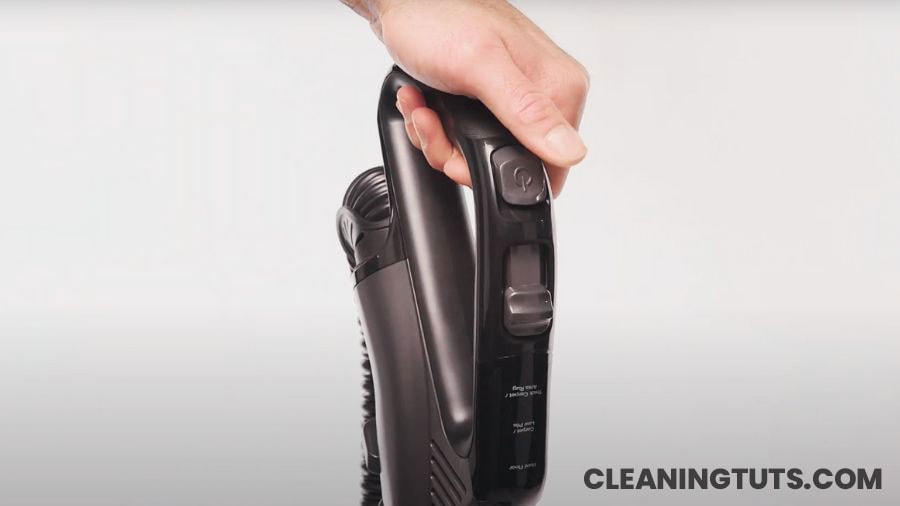
Three categories encompass the reasons a Shark vacuum fails to start: motor issues, minor component failures, and electrical problems. Motor failure accounts for the majority of permanent failures, while component clogs and power issues represent the most common reversible causes.
Problematic Shark Vacuum Motor
A failing motor is the primary cause when a Shark vacuum runs briefly then stops abruptly. The motor overheating trigger activates thermal cutoff switches designed to prevent permanent damage at temperatures exceeding 140°F (60°C).
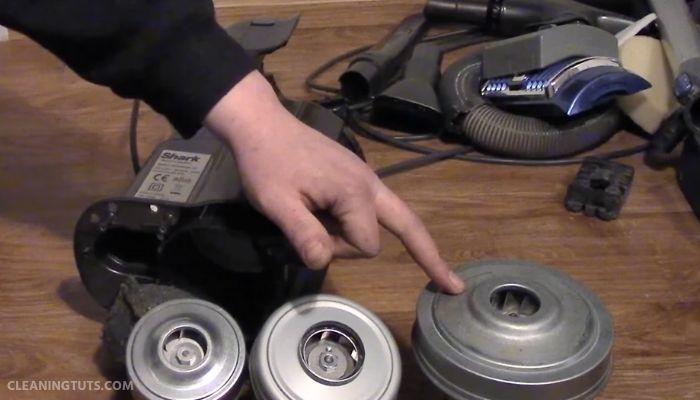
Motors typically fail after 300 to 500 hours of operation under normal conditions. Worn brushes, bearing failure, or insulation breakdown causes motor failure. A motor that emits burning smells, produces rattling sounds, or fails to draw power requires professional inspection or replacement.
Inspect the motor to confirm failure before replacing the entire unit. Customer service representatives can assess whether repair is viable for moderately damaged motors. When the motor fails completely, replacement costs often approach the price of a new vacuum.
Perform an overheating reset when the vacuum stops due to thermal overload.
Overheat Reset Procedure
If the vacuum does not restart after following these steps, the motor is severely damaged or another underlying issue exists. This overheating reset procedure resolves approximately 70% of thermal shutdown incidents in Shark vacuums, according to manufacturer support data.
The factory reset procedure addresses persistent issues including Shark robot vacuum models that fail to respond to power commands.
Shark Robot Vacuum Factory Reset
A factory reset erases all robot data including cleaning preferences, schedules, mapping data, and custom settings. Back up any saved data before proceeding with the reset.
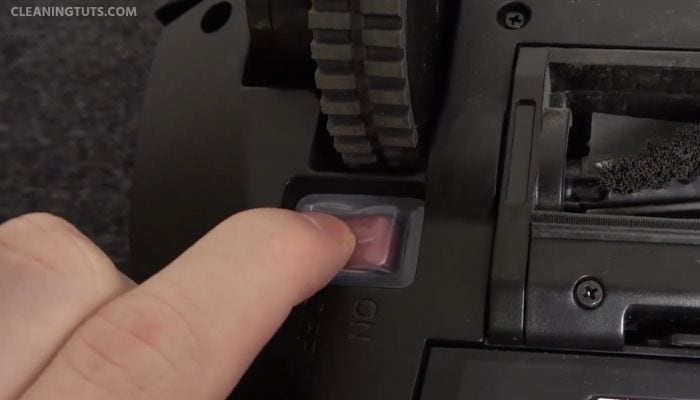
Shark vacuums do not have a dedicated reset button. The power switch functions as the reset mechanism.
Press and hold the power switch for 10 seconds to initiate the factory reset process. After 30 seconds, press the power switch once more to turn on the robot vacuum. If using the app, ensure the vacuum connects to the same Wi-Fi network and locate the reset option under Settings.
Quick Fixes for Minor Startup Problems
Minor conditions including component blockages and power issues prevent the vacuum from turning on. Address these before considering replacement or professional repair.
Cleaning the Filter
A clogged filter is the leading cause of reduced suction and startup failure. Clogged filters restrict airflow, causing the motor to work harder and eventually overheat. The primary filter requires cleaning every 3 months under normal use or monthly in homes with pets.
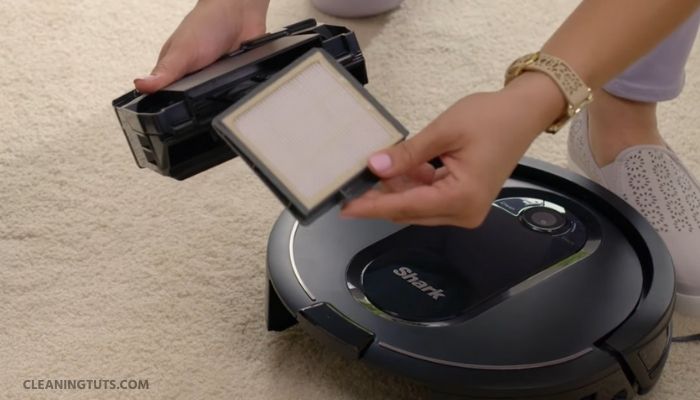
Shark vacuum cleaners use HEPA filters that capture 99.97% of particles as small as 0.3 microns. Wash foam and felt filters under cool water without soap. HEPA filters are not washable and require replacement every 12 to 24 months depending on usage intensity.
Allow all filters to air-dry completely for 24 hours before reinstallation. Installing a damp filter causes mold growth and damages the motor. Consult the model-specific manual for exact filter specifications.
Emptying the Dust Cup
A full dust cup causes suction loss exceeding 30% when it reaches maximum fill line. The motor strains to maintain suction, generating excess heat that triggers thermal shutdown. Empty the dust cup after every 3 to 5 uses or when debris reaches the MAX fill line.
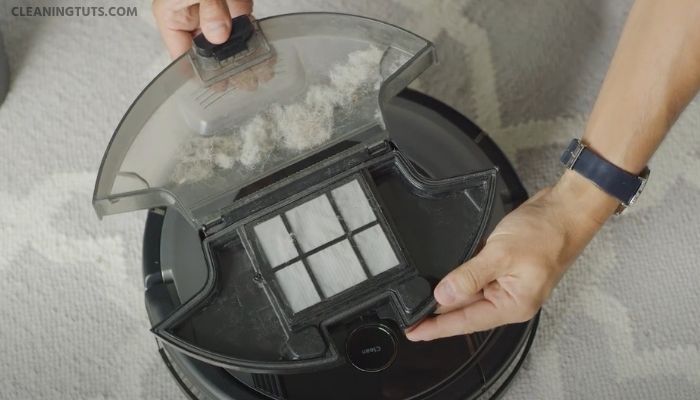
A vacuum filled with debris places excessive strain on the motor, increasing operating temperatures by 15 to 25°F (8 to 14°C) above normal levels. This accelerates wear on internal components and shortens motor lifespan.
Clearing Blockages from the Hose and Brush Roll
Blockages in the brush roll or hose force the motor to work harder, raising internal temperatures and triggering the thermal cutoff switch at 140°F (60°C). Pet hair, string, and large debris are the most common blockage causes.
Use scissors to cut tangled hair wrapped around the brush roll bristles. Remove the brush roll according to model instructions and clear all debris from the housing compartment. Inspect the hose for crushing, cracks, or internal obstructions.
Self-cleaning brush roll models such as the Shark Navigator Pet Pro reduce maintenance frequency but still require periodic inspection. While these models carry higher initial costs, they reduce long-term maintenance expenses and extend motor life.
Troubleshooting Power Plug Issues
Incomplete power plug insertion accounts for approximately 15% of vacuum startup failures. Some outlets, particularly those with child safety covers, require firm insertion to establish proper electrical contact.
Verify outlet functionality by testing with another appliance. Accumulated dust and debris on the power prongs creates resistance that reduces electrical conductivity. Clean prongs with a dry cloth before reinserting.
Inspect the power cord for visible damage including cuts, exposed wires, or burn marks. Cord damage from yanking or pinching compromises insulation and creates fire hazards. Replace damaged cords immediately rather than continuing use.
When Replacement Becomes Necessary
Understanding when repair costs exceed replacement value prevents unnecessary spending on end-of-life appliances.
Upright Shark vacuums typically last 5 to 7 years with proper maintenance. Cordless models provide 20 to 45 minutes of runtime per charge, with battery capacity degrading approximately 20% per year after the first 2 years.
Motor replacement costs frequently exceed 60% of the original unit price. When a professional assessment confirms motor failure in an older unit, purchasing a new vacuum with warranty coverage represents better long-term value.
Units younger than 3 years old may qualify for warranty service. Contact Shark customer support with the model number and purchase date before paying for repairs.
Maintenance Practices That Extend Vacuum Life
Summary: Shark Vacuum Will Not Turn On
The primary causes of Shark vacuum startup failure include motor overheating, power connectivity issues, filter clogging, brush roll blockages, and component wear. The overheating reset procedure resolves thermal shutdown in most cases by allowing a 45-minute cooling period.
Regular maintenance including filter cleaning every 3 months, dust cup emptying after every 3 to 5 uses, and prompt component replacement extends motor life and prevents premature failure. Vacuums exceeding 5 to 7 years of service or showing signs of motor failure may require replacement rather than repair.
For detailed guides on Shark vacuum troubleshooting, visit the Vacuum Troubleshooting Master Hub or explore the Cleaning Glossary for terminology definitions.
References
- SharkNinja Operating LLC. (2024). Shark Vacuum Cleaner User Guides and Support. support.sharkninja.com.
- U.S. Environmental Protection Agency. (2023). Indoor Air Quality: Vacuum Cleaners. epa.gov.
- NSF International. (2022). Vacuum Cleaner Certification and Standards. nsf.org.


